NFS Underground 2 Browser Online: Free Roam, Rooms and Crews
NFS Underground 2 Browser lets you share career free roam with other players, with rooms, crews, friends, quick chat and race lobbies.
Verified on version Oct 31, 2026 update (November 1, 2026)
On this page
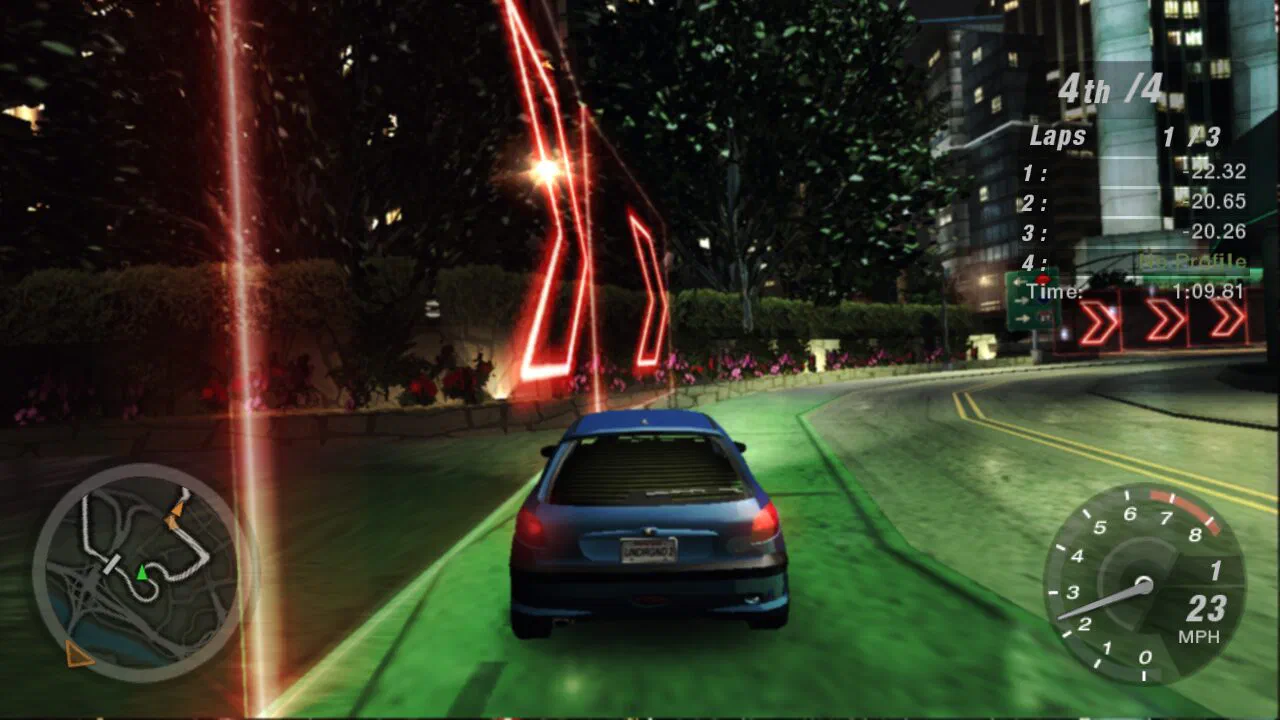
Online play in NFS Underground 2 Browser is a shared career free roam. You switch it on under Online or at the first Play prompt, and you then see other players’ cars while they see yours. Races, traffic and money stay separate. On top of that the port has rooms, crews, friends, quick chat, horns and a blocked list, plus race lobbies. We saw the settings and the Playing now counter in desktop Chrome on November 1, 2026. We did not drive in a shared free roam or join an online race, so this guide is the port’s description of each feature, not a test.
How do you turn on free roam with others?
Choose Turn on at the first Play dialog or set it under Online on the start page. The switch reads “See other players’ cars in career free roam, and they see yours.” The dialog adds that all players on the server see your name and whether you drive or sit in a menu, and that nearby players see your car. Outrun challenges happen with other players around, and the game’s tuners challenge you again since October 29. When we visited, 3,545 players were in free roam and 801 were in races or lobbies. See the how to play guide for the dialog.
How do rooms and invite links work?
A room limits free roam to the people in it. The start page says that with a name set, free roam shows only players in the same room. The October 29 update added invite links to a room or a crew, plus rooms you can change while playing. You also need a name , which is 3 to 15 letters, digits, - or _ and shows over your car and in the Online menu.
What are crews and friends?
Crews are shared names, and friends need claimed names. The Friends & crews tab says players with the same crew name always see each other, with names and map arrows in the crew’s color. Anyone who types the name joins and you can have up to 4 crews. For friends, claim your name first. The changelog gives two ways to add one:
- In free roam, touch front bumpers with another player for 3 seconds.
- Add a claimed name on the start page.
Both of you need a claimed name. Friends show in pale lime at any distance, on the minimap and on the world map, and the page menu (F9) gets a Join option. Press I to message a friend, and one who is away gets it when they return. Read the saves guide for how names tie to a passphrase.
What do ghost mode, quick chat and horns do?
Ghost mode lets you drive through other players’ cars. Quick chat sends short phrases to players near you in free roam, and your horn plays for other players. Here are the exact inputs the start page lists:
| Feature | Input |
|---|---|
| Ghost mode | Switch on under Online |
| Quick chat | 1 to 4, then 1 to 4; controller: right stick twice; touch: the chat button |
| Horn | N or the left stick click |
You pick four groups of four phrases, and others read them in their own language. The October 27 update grew the pool to 152 phrases. The horn list includes Dual tone, Single tone, Air horn, Train horn, Klaxon, La Cucaracha, Clown horn and Sad trombone.
How do you block a player?
Open More online settings and find the Blocked players list. The October 28 update added it. The same update says a claimed name keeps your EA Messenger friends and blocks, but it does not say whether that is the same list. The page does not explain how to add someone, and we did not test it.
What about race lobbies and outruns?
Race lobbies hold online races with other players, and a lobby closes when its host seems away for 2 minutes (October 26). Drag races have the cars evened out all the way, and other players’ cars jump around less in online races since October 28. The page says online and LAN races run at up to 120 fps. Outrun challengers are grey on the maps, and Enter takes an outrun. The original 2004 game’s own online servers were shut down by EA on August 1, 2006, so this port’s server is a separate thing. See the modes list for Quick Race types.
Which wiki entries support this guide?
Use these entries to check the game facts discussed in this guide.
What else do players ask about NFS Underground 2 Browser online?
How many crews can share a free roam in NFS Underground 2 Browser?
Why do some cars in NFS Underground 2 Browser free roam show up grey on the map?
Which other guides can help you play?
5 more guides cover NFS Underground 2 Browser.
Which sources support this page?
NFS Underground 2 Browser start page, Online and Friends & crews tabs, NFS Underground 2 Browser changelog, UBG76 play test in desktop Chrome and Need for Speed: Underground 2 on Wikipedia support this page, verified against version Oct 31, 2026 update.
- NFS Underground 2 Browser start page, Online and Friends & crews tabs Copied on November 1, 2026; the site is not linked.
- NFS Underground 2 Browser changelog Copied on November 1, 2026; the site is not linked.
- UBG76 play test in desktop Chrome November 1, 2026.
- Need for Speed: Underground 2 on Wikipedia