NFS Underground 2 Browser Not Working: Fixes That Match the Sources
Most problems with NFS Underground 2 Browser come down to the browser, WebGPU, slow data loading or too heavy display settings.
Verified on version Oct 31, 2026 update (November 1, 2026)
On this page
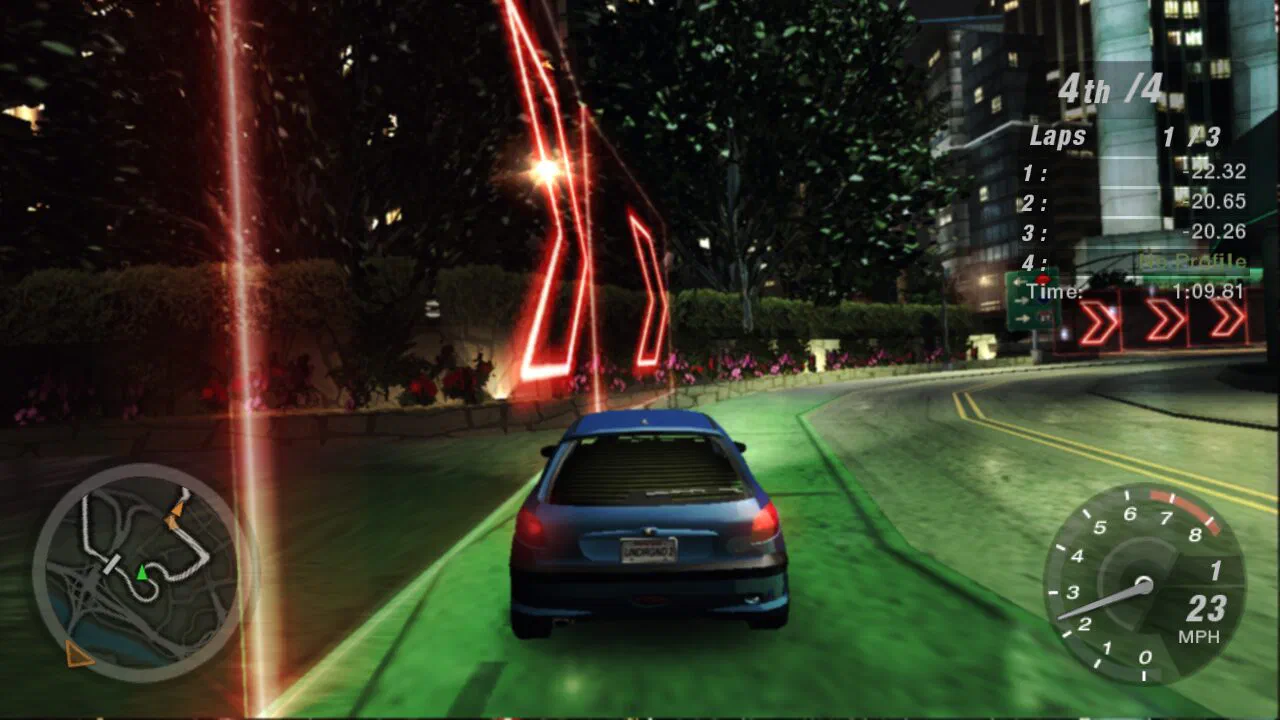
When NFS Underground 2 Browser fails, check the browser first. The port is built for current Chrome and Firefox with WebGPU, and the changelog shows Firefox had a black or half-drawn picture that was fixed on October 26, 2026. If the picture is fine but the game feels slow, lower the resolution scale or cap the frame rate. If loading drags, the game is fetching up to 1.7 GB of data as you play. UBG76 does not run the game, so everything below comes from the port’s start page, its changelog and one desktop Chrome session we ran on November 1, 2026.
| Symptom | First thing to try |
|---|---|
| Black or half-drawn picture | Reload; the port fixed this for Firefox on October 26 |
| Page names a server problem | Wait and retry |
| Loading waits on the network | Preload the game data |
| Low frame rate | Lower the resolution scale |
| Choppy on a slow device | Set the frame rate to 30 |
| Most tracks locked | Not a bug; see below |
Which browser should you use?
Use a current Chrome or Firefox with WebGPU. The port describes itself as the PC game recompiled for those two, and our play test ran in regular Google Chrome 149. The October 31 update stopped showing “Only Chrome and Firefox are tested” in Edge, Brave, Opera and Safari. We tested none of those four, so we cannot say how they behave. The source code page on GitHub states that graphics use WebGPU and sound uses Web Audio, which is why an older browser without WebGPU is a likely cause of a failed start. We did not test an unsupported browser and cannot quote its error.
What if the black or half-drawn picture shows up in Firefox?
Reload the page and try again. The port fixed this on its own side, and the changelog lists “Firefox: no more black or half-drawn picture” under October 26, 2026. If you still see it, the port’s Discord is where the start page tells you to ask, because it says support emails will not be answered. We did not test Firefox ourselves.
What does it mean when the server cannot be reached?
It means the start page could not contact the port’s server. On October 30 the changelog says the page now tells you why the server can’t be reached, instead of just showing “Offline”. We did not see this message during our test, so we cannot give its exact wording or list the reasons. Online features and cloud saves depend on that server, so wait a little and reload. Check the Playing now counter on the start page to see whether it loads.
Why is loading slow, and how do you speed it up?
Loading is slow because the game downloads data as it needs it. The Other tab says “Nothing here yet” until it has downloaded anything, and offers “Preload the game data (1.7 GB)” so loading never waits on the network. In our session the game module was 35.9 MB and about 7.6 MB went over the wire at first, compressed. We ran WebGPU through software rendering, so do not read our load times as typical. The October 28 update also made the world load faster in Chrome and Firefox on Windows. The same tab also has Delete game data, Reset all settings and Edit settings.ini as text. We did not test them.
How do resolution scale and frame rate help?
Lowering the resolution scale is the quickest speed-up. The start page lists 50%, 75%, 100%, 150% and 200%, and says lower is faster but softer: 50% draws a quarter of the pixels. Phones start at 75%. The frame rate setting offers Auto, 30, 60, 120 and 240. Auto matches your display, and 30 is steadier on slow phones and saves battery. Online and LAN races run at up to 120 and cutscenes run at 30. Both settings take effect the next time you press Play. The October 31 update also gave slower PCs back frames lost in the October 29 update.
How do you file a useful bug report?
Send the download log. The October 26 changelog entry says names and addresses are replaced in it, so it is safe to post. The start page tells you to take questions to the port’s Discord instead of emailing support. We can answer questions about this wiki only. Include your browser name and version, whether WebGPU is on and which display settings you used.
Why are most tracks locked?
Locked tracks are normal without a profile. In our Quick Race test most tracks showed a lock, and in Circuit only Resort Loop and Outer Ring opened. Names and lengths stay visible. We did not test how a profile unlocks more, so see the how to play guide for the steps we did take.
Which wiki entries support this guide?
Use these entries to check the game facts discussed in this guide.
What else do players ask about NFS Underground 2 Browser not working?
Does NFS Underground 2 Browser still say only Chrome and Firefox are tested?
What should I include in an NFS Underground 2 Browser bug report?
Which other guides can help you play?
5 more guides cover NFS Underground 2 Browser.
Which sources support this page?
NFS Underground 2 Browser start page, all tabs, NFS Underground 2 Browser changelog, UBG76 play test in desktop Chrome and th0mk/nfsu2-web on GitHub support this page, verified against version Oct 31, 2026 update.
- NFS Underground 2 Browser start page, all tabs Copied on November 1, 2026; the site is not linked.
- NFS Underground 2 Browser changelog Copied on November 1, 2026; the site is not linked.
- UBG76 play test in desktop Chrome November 1, 2026.
- th0mk/nfsu2-web on GitHub