How to Play DirtBound: Your First Rally Stage
DirtBound starts on a 3D home screen in your browser, and a first rally stage takes three clicks: Solo, Stage and Start.
Verified on version Nov 1, 2026 build (November 2, 2026)
On this page
DirtBound opens on a 3D home screen at dirtbound.fr, with your car parked in front of the giant DirtBound letters and the menu painted around it. A first rally stage takes three clicks: Solo, Stage and Start. You need no account, no download and no setup. We played this way in desktop Chrome on November 1 and 2, 2026. This guide walks through the screens in order and ends with what to try once your first stage is done. For every key in one place, see the controls table .
What is on the DirtBound home screen?
The home screen has four big words on the left and a block of tiles on the right. The words are Solo, Multiplayer, Daily challenge and Experimental. On the right you find Garage, a Sign in with Google card and four small icons: the pencil opens the circuit editor, the gear opens Settings, the bars switch the sound and the sun switches the season of the menu scene. A counter in the top left corner shows how many people are playing. It read between 70 and 80 when we checked.
| Tile | What it opens | Account needed |
|---|---|---|
| Solo | Stage or Circuit | No |
| Multiplayer | Online lobbies | Yes |
| Daily challenge | Today’s ranked stage | Only for the leaderboard |
| Experimental | Online lobbies with power-ups | Yes |
| Garage | 17 cars, 5 liveries each | No |
| Pencil icon | Circuit editor | Only to publish |
How do you start your first stage?
Click Solo, then Stage. The Rally stage screen shows a preview card of the road on the left, the length and landscape buttons under it and four theme cards on the right. On a browser that has never played before, the game picks 1 km and Lowlands for you, so the first road is short and gentle. Leave it that way and press Start.
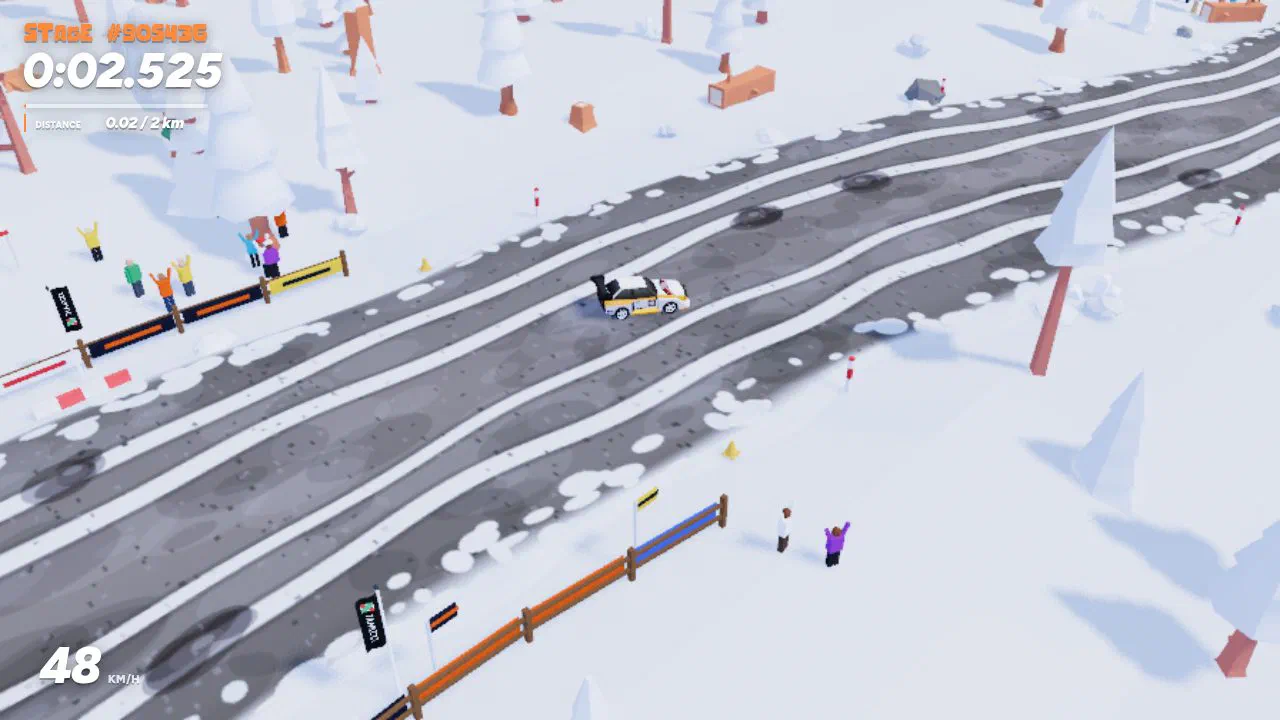
The page changes to the race and the car loads at the start banner. For the first few seconds a Controls card sits at the bottom of the screen with the main keys. The clock starts as soon as you move.
What are the default DirtBound controls?
You drive with W, A, S and D or the arrow keys. W accelerates and S brakes, then reverses once you stop. Space is the handbrake: it locks the rear wheels so the tail swings out, which helps on hairpins. R puts the car back on the road, C switches the camera and Esc or P pauses.
Gamepads work too. The right trigger accelerates, the left trigger brakes and the A button is the handbrake. On a phone, hold a finger on the screen and slide it toward where you want to go, and the car accelerates by itself. You can rebind any keyboard key on the Settings, Controls tab.
What costs you time on a stage?
Two things add seconds to your clock. Getting put back on the road adds 5 seconds. You trigger it with R, or the game does it for you after 3 seconds with no wheel on the dirt, after 2 seconds stuck or when the car drops off an edge. Hitting spectators adds 10 seconds, and they stand on the outside of corners where a wide line ends up.
The grass also slows you down. Off the road your top speed drops to 62% of what you get on the dirt. On a first run it pays to stay on the road and take the corners a little slower than feels necessary. The Stage mode page explains the reset rules in detail.
What happens at the finish?
The clock stops at the finish banner and the result card shows your time. If it beats your best on that stage, it says New record. Two buttons follow: Replay this stage drives the same road again, and New stage rolls a different one with the same settings. Your best times are stored in your browser, so they stay after you close the tab but vanish if you clear site data.
What should you try after your first stage?
Once a 1 km run feels easy, try these in any order:
- A longer or harder road. Go to 5 or 10 km, or pick High mountains for more climbing. Endless has no finish if you just want to drive.
- Another season. The four themes change the look of the stage: green Marshmallow Vale, Buttercup Meadow in spring, Russet Wood in autumn and snowy Frostvale. The stage options table lists them all.
- A circuit. Solo, then Circuit, opens the four official circuits and the Community tab. Laps are timed and R restarts a lap at speed.
- The daily challenge. Every player gets the same short stage for a day. Sign in if you want your time on its leaderboard.
- A new car. The Garage has 17 cars. They all drive the same, so pick the one you like, as the best car guide explains.
When you are ready for times worth posting, read the faster stage times guide .
Which wiki entries support this guide?
Use these entries to check the game facts discussed in this guide.
What else do players ask about how to play DirtBound?
Do I need to install anything to play DirtBound?
Which car does DirtBound give you at the start?
Which other guides can help you play?
4 more guides cover DirtBound.
Which sources support this page?
UBG76 play test in desktop Chrome, DirtBound official site and DirtBound English game text (js/locales/en.js) support this page, verified against version Nov 1, 2026 build.
- UBG76 play test in desktop Chrome Rally stages in all four themes and the Kenney Circuit, played on November 1 and 2, 2026, without an account.
- DirtBound official site
- DirtBound English game text (js/locales/en.js) Menu labels, control names and hints, read on November 1, 2026.