Browser Game Not Loading: Check Your Ad Blocker and the Game's Host First
Most browser games that will not load are stopped by an ad blocker or a host that refuses framing, so reload, allow the site and try another browser.
When a browser game will not load, the cause is usually one blocked script on your side or a game host that will not run inside another site. Start with three steps: reload the page, turn off your ad blocker or privacy extension for that site and try a second browser. That fixes most cases. Some failures sit in the game’s own code or on its host’s servers, though, and no setting on your device will fix those. For those, the best move is to report it so the page can be fixed or the game can open somewhere else.
Why does a browser game show a black or blank screen?
A black screen usually means one file or one script failed, and the game stopped before it drew anything. Bugnet, a bug tracking service for game developers, puts it plainly: “A black screen in a web game is almost always one failed asset or one thrown error.” On the player side, that failed file is most often a request your browser or network blocked, a download that timed out on a slow connection or a graphics feature your browser could not start.
Many 3D browser games use WebGL to draw. You can test it at get.webgl.org, which shows a spinning cube when WebGL works. If you do not see the cube, the page points you to your browser’s support site and suggests updating graphics drivers. In Chrome, open More, then Help, then About Google Chrome. Click Relaunch if an update is waiting.
| What you see | Likely cause | Try this first |
|---|---|---|
| Black or blank frame | A blocked or failed file | Reload, then allow the site in your blocker |
| Spinner that never ends | A script waiting on a blocked request | Turn off extensions for the page |
| Gray box or “refused to connect” | The host does not allow framing | Open the game on its own site |
| Game loads but keys do nothing | The game frame does not have focus | Click inside the game once |
Can an ad blocker stop a game from loading?
Yes. Many free games load ad or analytics scripts as they start, and some wait for those scripts before they show anything. In one itch.io forum thread about games stuck on “Loading game for the first time,” a developer found the error “net::ERR_BLOCKED_BY_CLIENT” on an analytics script in the console. The thread never confirmed that was the cause, but that error is what Chrome shows when an extension blocks a request.
The fix is to allow the game’s site in your blocker and reload. On UBG76, Car Crush: Realistic Destruction loads in a frame from Playgama , a third-party game platform. If an extension or a network filter blocks Playgama, the frame stays empty, and loading speed inside that frame is outside our control. Our player waits about eight seconds for an on-page game. If the game has not loaded by then, it offers the version on Escape Road in a new tab instead. Submersible, the deep-sea exploration game , gets up to a minute before the player offers to open it in a new tab.
Why do some games open on another site instead of this page?
Some developers and portals do not allow other sites to show their games, and we follow that. Websites can tell browsers not to display a page inside another site’s frame. MDN Web Docs explains that sites use the X-Frame-Options header “to avoid clickjacking attacks and some cross-site leaks, by ensuring that their content is not embedded into other sites.” When a game host does that, the frame on any other site stays blank.
itch.io games are the most common case here. Developers can embed their own itch.io games through a tool on their dashboard, and an answer on the itch.io forum asks people not to do that with somebody else’s game. When we tested itch.io games inside our own player, they would not start. So Hidden Grimoire: Idle Alchemy opens on the developer’s itch.io page in a new tab, along with the other itch.io games on the site. It is still a free browser game with nothing to install. You just play it on the developer’s page.
Every game page says where the game opens before you press play. If nothing happens after you click Play now, check whether your browser blocked a new tab or pop-up, and allow it for the site.
Why don’t the keys work after the game loads?
Usually because the game frame does not have focus yet, so click inside the game once before you press any keys. A game in a frame only hears the keyboard after you click it, and that first click is often what wakes it up. If the page scrolls when you press the arrow keys, the game does not have focus yet.
Some key problems come from the game itself. In the fan-made Wordle on UBG76 , the Backspace key on your keyboard does not work, so you delete letters with the on-screen backspace button. Other games, such as Hill Race and Madalin Stunt Cars 2, need a keyboard, so they load on a phone and then ignore your taps. Each game page lists its controls, and the racing category notes which driving games support touch.
What should you send us if a game still will not load?
Send the game name, your browser and device and what you see on screen. Email [email protected] or use the contact page , and include:
- The game page address
- Your browser and its version, plus your device or operating system
- What happens: black screen, endless spinner, an error message or no response to keys
- Whether the game works on another network or in another browser
If you are comfortable with browser tools, the first red line in the developer console helps a lot. That is also the first thing an itch.io admin asked a player to check in a thread about browser games not loading, since the cause can sit anywhere “from the game’s code to your computer itself.” We recheck a game when a reader reports a problem, and the change shows up in the page’s updated date. If you are wondering whether a game site is safe in the first place, read what to check before you press play . Shorter answers about loading problems and games that open on another site are in the UBG76 FAQ .
Which games from this guide can you play?
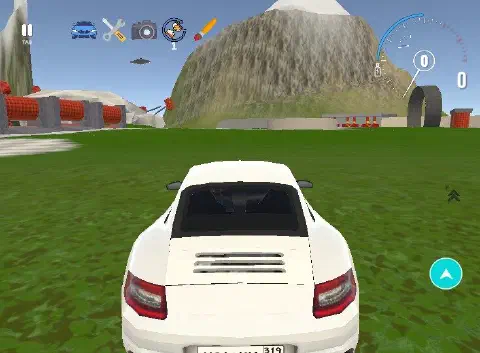
Car Crush: Realistic Destruction is an open-world driving sandbox game.
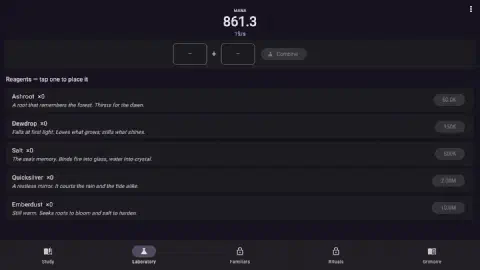
Hidden Grimoire: Idle Alchemy is an idle alchemy game.
Wordle is a word puzzle game.
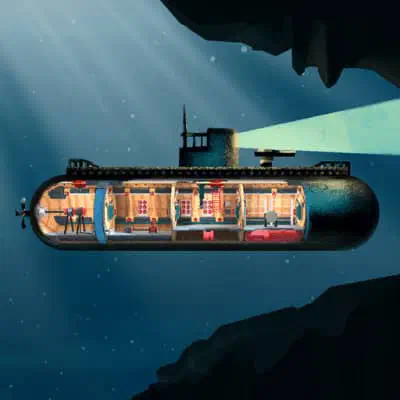
Submersible is a deep-sea exploration game.
What else do readers ask about this guide?
Why does a game work on my laptop but not on my phone?
Usually because it was built for a keyboard or a mouse. A game with no touch controls may load on a phone and then ignore your taps. Each UBG76 game page says in its controls section whether it needs a keyboard.
Will clearing my cache fix a game that will not load?
Sometimes, if an old or broken file is stuck in the cache. Be careful with idle games, though. Many save progress in your browser, so clearing site data can erase your save.
Which sources support this guide?
- How to Fix a Web Game Showing a Black Screen on Load (Bugnet)
- HTML5 game stuck on Loading game for the first time (itch.io forum)
- In browser games not loading (itch.io forum)
- Embedding an itch.io HTML5 game on another website (itch.io forum)
- X-Frame-Options header (MDN Web Docs)
- WebGL support check (get.webgl.org)
- Update Google Chrome (Google Chrome Help)